Run and Test API — VS Code Extension
Start the generated FastAPI preview and send a typed request to its node endpoint from the tester.
Task
Verify that the node's generated code starts successfully and produces the expected response for representative input values.
Prerequisites
- Local node test code has been generated.
- Python and the preview dependencies are installed.
- Port
8001is available or can be released.
Find This in VS Code and the Tester
Use the play item in the VS Code status bar to start the generated folder. Use Test in the tester toolbar to open the request panel.
Steps
- Open the generated node test folder or keep the tester open so it remains the preferred run target.
- Select the play item named for the node. The extension starts Uvicorn at
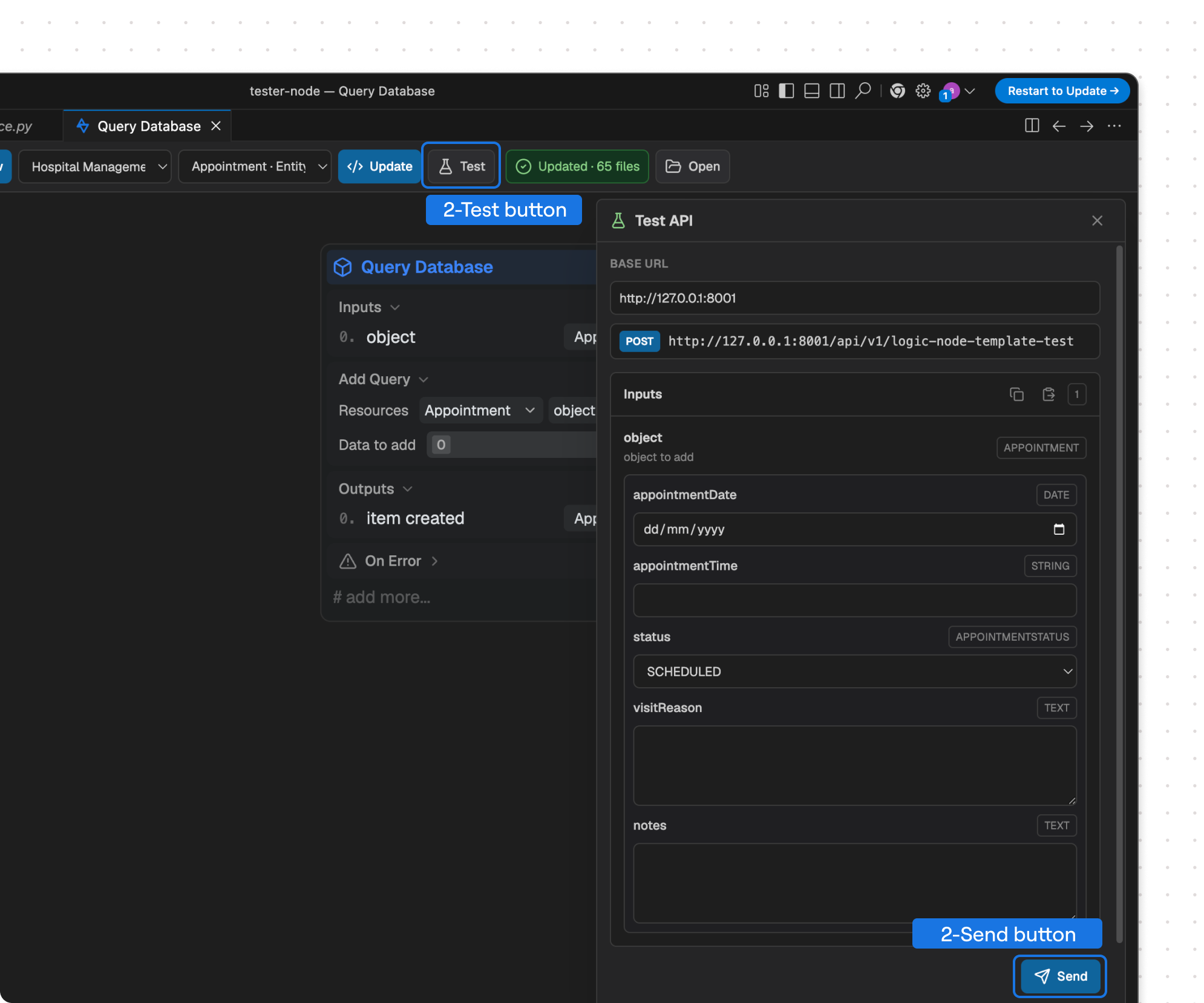
http://127.0.0.1:8001. - Return to the tester and select Test.
- Keep the default base URL or enter the address where the preview is running.
- Complete the generated input editors. Complex entity and enum fields use schemas from the selected workspace.
- Optionally copy the expected input JSON shape or import input JSON from the clipboard.
- Select Send. The tester sends a
POSTrequest to the generated preview path. - Review the HTTP status, duration, endpoint, and response body. Expand or copy the output when needed.
Expected Result
The preview returns an HTTP response for the configured node. Successful and error paths can be tested repeatedly without regenerating code unless the node configuration changes.
Next Step
Use Diagnostics when startup or requests fail. Apply fixes in Node Builder or Code Builder, copy or open the updated node, and regenerate.
Troubleshooting
- If the tester says the preview is unavailable, confirm the terminal is still running and the base URL uses port 8001.
- If inputs are missing, update the active variant or its input definitions in the source node.
- If the response is an expected application error, review the status and body before treating it as a startup failure.